 PantryPal
PantryPal › Guide
Video guide
How to use PantryPal
Watch the one-minute demo, then follow the steps below. You can be set up and have your first plan in about a minute.
A 52-second walkthrough using example data: a family of four with a week of shopping. Captions are on.
Read the video as text
- Add your food: tap common foods, scan a receipt, snap your fridge or type a list.
- Use first: see what goes off soonest and what it is worth. Tap Used, Toss or Freeze.
- Plan: dinners built from the food that expires first. Swap any meal.
- Cook: tap Cooked it. Ingredients leave your pantry and leftovers get an eat-by date.
- Batch cook (Premium): pick people and days and get portions for the fridge and freezer.
- Leftover rescue: three meal ideas for food that needs using.
- Shop: buy only what is missing. The list warns you about food you already have.
- Track: see food used in time, meals cooked and what got thrown away.
Step 1
Add your food, your way
Pick whichever is quickest. You can mix them. PantryPal estimates an expiry date for everything it adds, and you can change any date by tapping the item.
- Tap what you haveThe fastest start. Pick from common foods, no typing.
- Scan a receiptPoint the camera at a receipt and the whole shop is added. You can untick anything it got wrong before adding.
- Photo of your fridgeAI spots what is inside. It asks your permission first.
- Scan a barcodeFor single products.
- Type a listWrite "milk, 2 eggs, spinach" and it splits the list for you.
Free planIncludes 5 photo scans. Tapping foods and typing are always unlimited.
Step 2
See what to use first
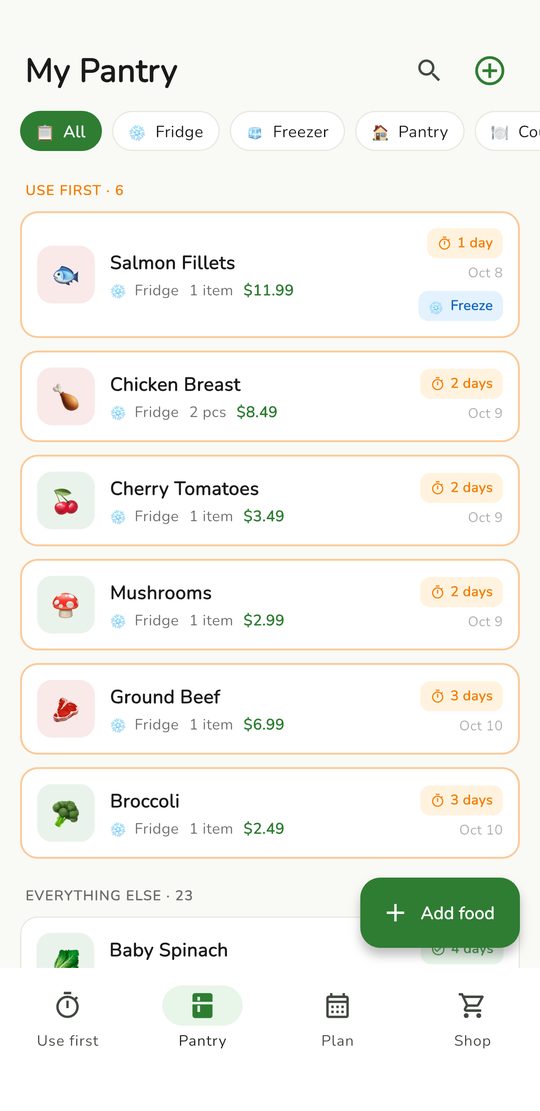
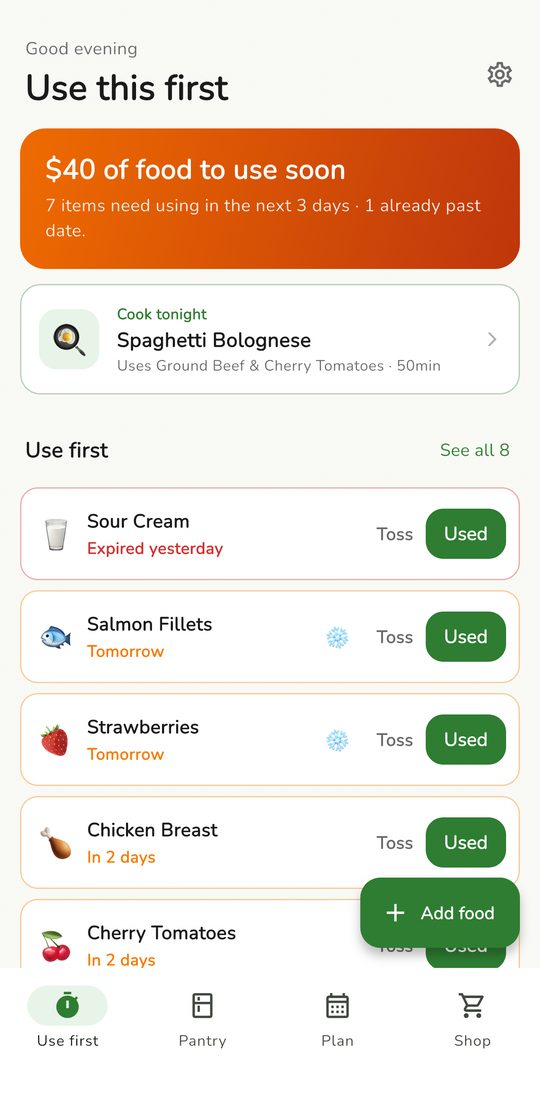
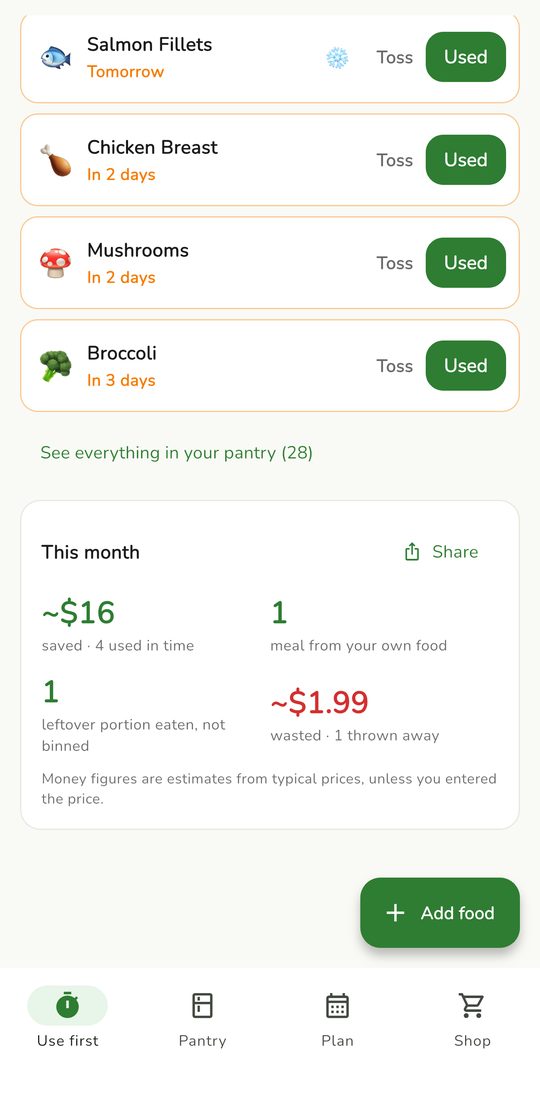
The Use first screen is your home screen. It shows what goes off soonest and roughly what that food is worth.
- Used when you have eaten it. It leaves your list and counts as saved.
- Toss when it went bad. It counts as wasted so you can see the trend.
- Freeze (the snowflake) appears on food that is about to expire and can be frozen. It moves to the freezer with about 90 days.
About the moneyAmounts are estimates from typical prices, unless you entered the price yourself.
Step 3
Plan dinners from what you have
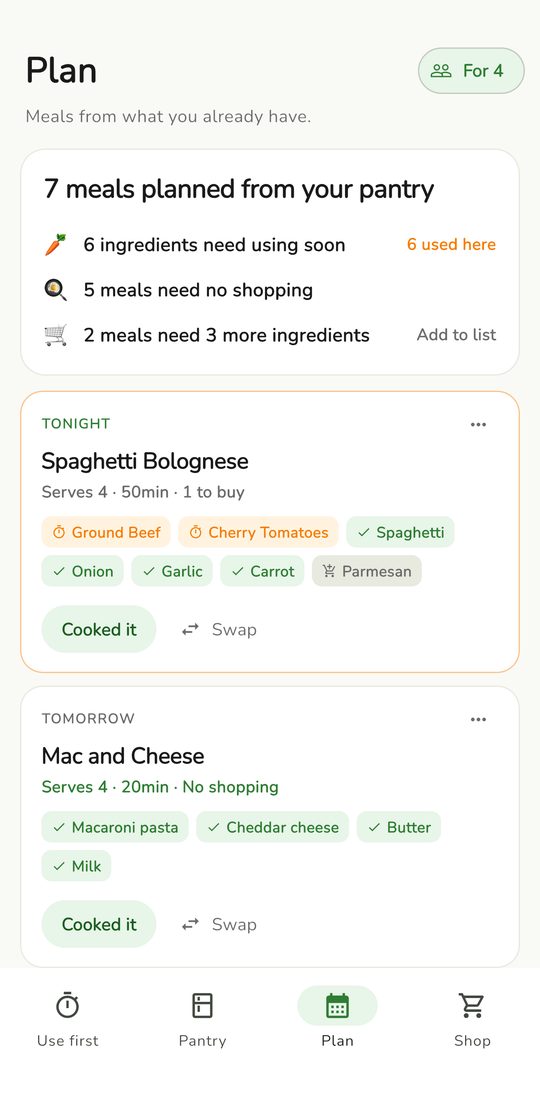
Open the Plan tab and tap Plan my next 3 days. PantryPal builds dinners around the food that expires first and shows what you already have and what you would need to buy.
- Set how many people you cook for with the For 4 button at the top.
- Swap any meal you do not fancy.
- Add to list puts only the missing ingredients on your shopping list.
- Premium plans the full 7 days and fills any gaps with AI meal ideas from your own food.
Step 4
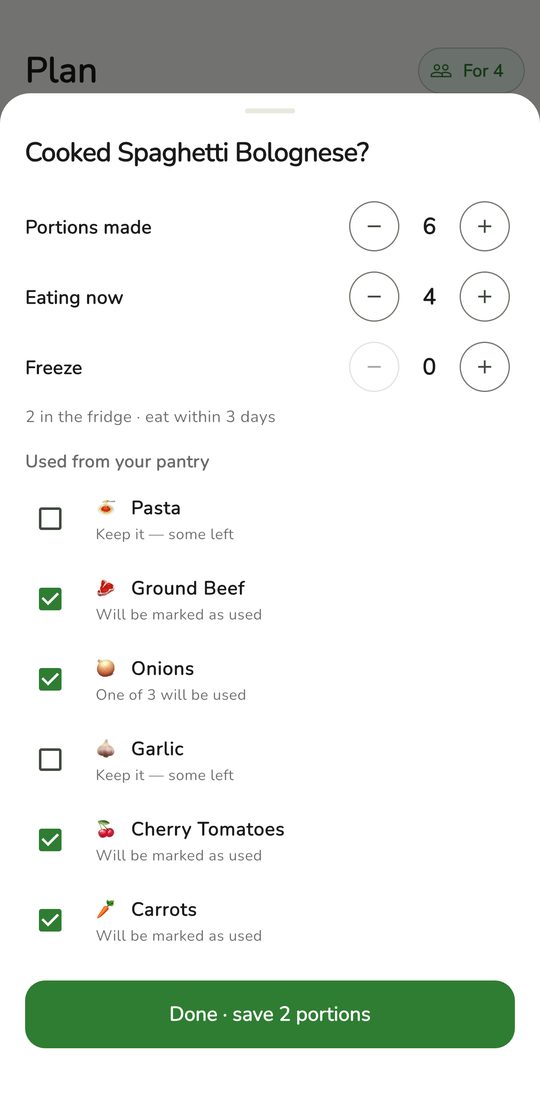
Tap "Cooked it"
When you have cooked a planned meal, tap Cooked it. Say how many portions you made, how many are eaten now and how many go in the freezer.
- The ingredients come off your pantry.
- Leftovers get an eat-by date and show up under Ready to eat and on your home screen.
- Tap Ate 1 each time you eat a portion.
Premium
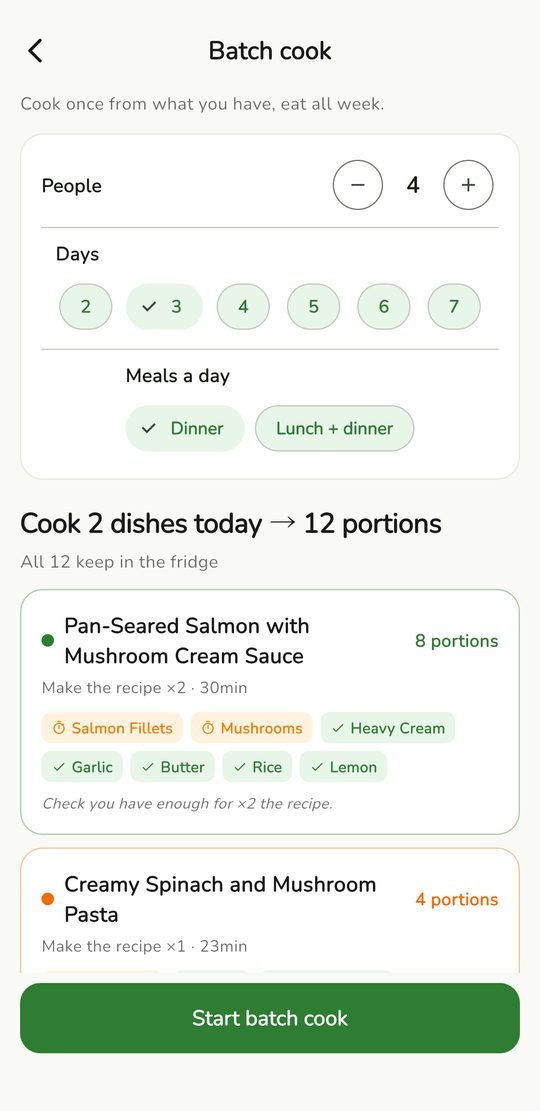
Cook once, eat all week PREMIUM
Choose how many people, how many days and whether it is dinner only or lunch and dinner. PantryPal picks dishes that reheat well and works out the portions.
- Food for the first few days stays in the fridge. Later days go straight to the freezer.
- It shows what you would still need to buy and lets you add it to your list.
- Tap Start batch cook to put today's cooking on your plan.
Leftover rescue
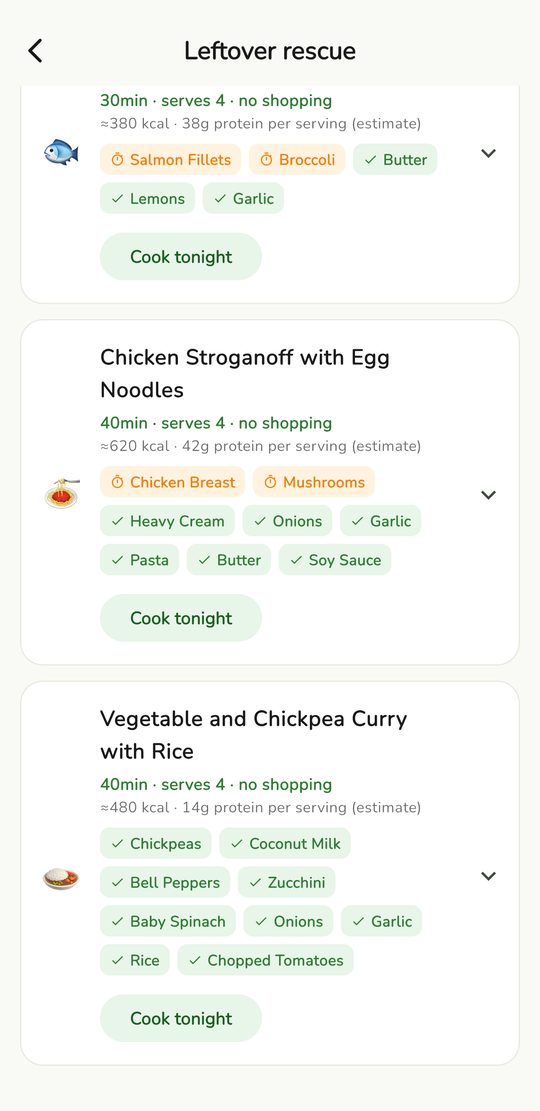
Three ideas for food that needs using
Open Plan and tap Leftover rescue. The foods closest to expiring are already ticked. Untick any you do not want, then tap Get 3 ideas.
- Each idea shows time, servings, rough calories and protein, and what you already have.
- Cook tonight adds it to your plan. Add missing adds what you lack to your list.
- The free plan includes one rescue a week. Premium is unlimited.
Needs internetRescue uses an AI service and asks your permission the first time.
Step 5
Shop for only what is missing
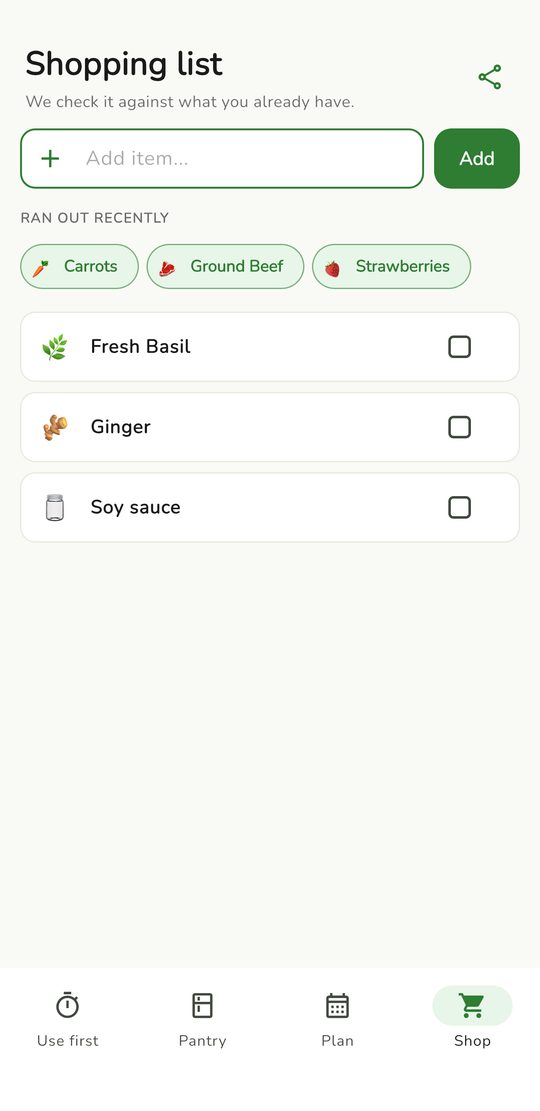
The Shop tab checks your list against your pantry.
- It warns you before you add something you already have.
- It suggests what this week's plan still needs, and what you ran out of recently.
- Tick items as you buy them, then tap Add to pantry to file them.
Step 6
See what you saved
At the bottom of the Use first screen, This month shows food you used in time, meals cooked from your own food, leftover portions eaten and what was thrown away.
RemindersPantryPal sends one evening reminder when something needs using, with a dinner idea. Never one per item. You can change this in Settings.
Help
Common questions
A scan missed or added the wrong food
After a scan you see a list with ticks. Untick anything wrong before you tap Add. You can also edit or delete any item from the pantry.
My plan has fewer days than I expected
PantryPal only plans meals you can mostly make from your pantry. Add a few more foods and tap Re-plan from today's pantry. Premium fills gaps with AI ideas.
The AI features are not working
Fridge photos, AI receipt reading, Leftover rescue and AI plan ideas need an internet connection and your permission. Check both and try again in a moment.
I did not get a reminder
Open the iPhone Settings app, tap Notifications, then PantryPal, and make sure notifications are allowed.
How do I restore Premium on a new phone?
Open the Premium screen and tap Restore Purchases. Use the same Apple ID you bought with.
Does my pantry sync between phones?
No. Your pantry is stored on your device. There is no account.
How do I delete my data?
Open Settings in the app and choose Delete all data. You can also turn off anonymous usage stats there.
I need more help
Visit the support page.
Ready when you are.
Free to start, no account needed. Add your first food in under a minute.