 PantryPal
Pantry & food expiry tracker
Eat it before it goes off.
PantryPal shows what in your kitchen needs using first, what it's worth, and what to cook with it tonight. Then it plans the week around it.
Free to start · iPhone and iPad
How it works
From shopping bag to dinner in three steps.
Add your food
Tap common foods, scan a receipt, snap your fridge, scan a barcode or type a list. Expiry dates are estimated for you.
See what's urgent
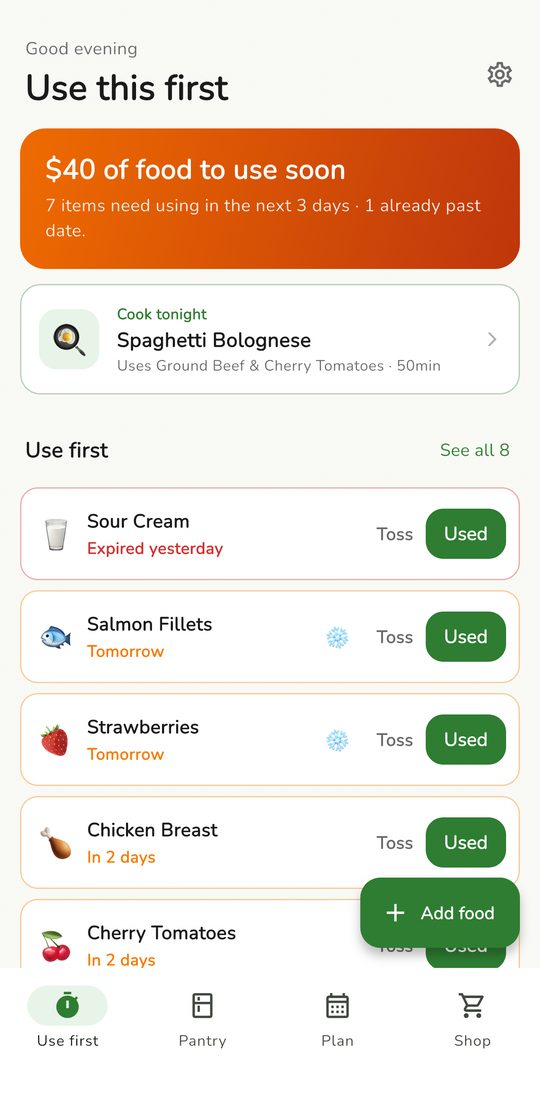
One screen shows what goes off soonest and roughly what it cost. Mark it used, toss it, or freeze it.
Cook it
Get dinners planned from what you already have. Only the missing bits go on your shopping list.
What's new in 1.0.3
More ways to use what you buy.
Leftover rescue
Pick what needs using and get three meal ideas built around it.
Batch cooking
Cook once, with portions worked out for the fridge and freezer.
7-day plans
A full week of dinners, with AI ideas filling any gaps.
Leftover tracker
Cooked portions get an eat-by date and show up first on home.
Plan-aware shopping
Your list fills with what this week's plan still needs.
Real variety
No dish twice, and no main ingredient every single night.
Light nutrition
Rough calories and protein on AI meal ideas.
This month
See food used in time, meals cooked and what got wasted.
Features
Everything your kitchen needs, nothing it doesn't.
Use first
Food that goes off soonest, with what it's worth and a one-tap Used, Toss or Freeze.
Receipt scan
Point the camera at a receipt and the whole shop lands in your pantry.
Fridge photo
Snap your open fridge and AI picks out what's inside.
Meal plans
Dinners built around what expires first. Swap any meal you don't fancy.
Batch cooking PREMIUM
Pick people and days. PantryPal picks dishes that reheat well.
Leftover rescue
Three meal ideas for whatever needs using, often with nothing to buy.
Smart shopping list
Warns you before you buy something you already have at home.
One evening nudge
A single reminder when something needs using, with a dinner idea. Never one per item.
Private by default
Your pantry stays on your phone. No account, no ads, no tracking.
See it in action
Real screens from the app.
Use first
What needs eating, and what it's worth.
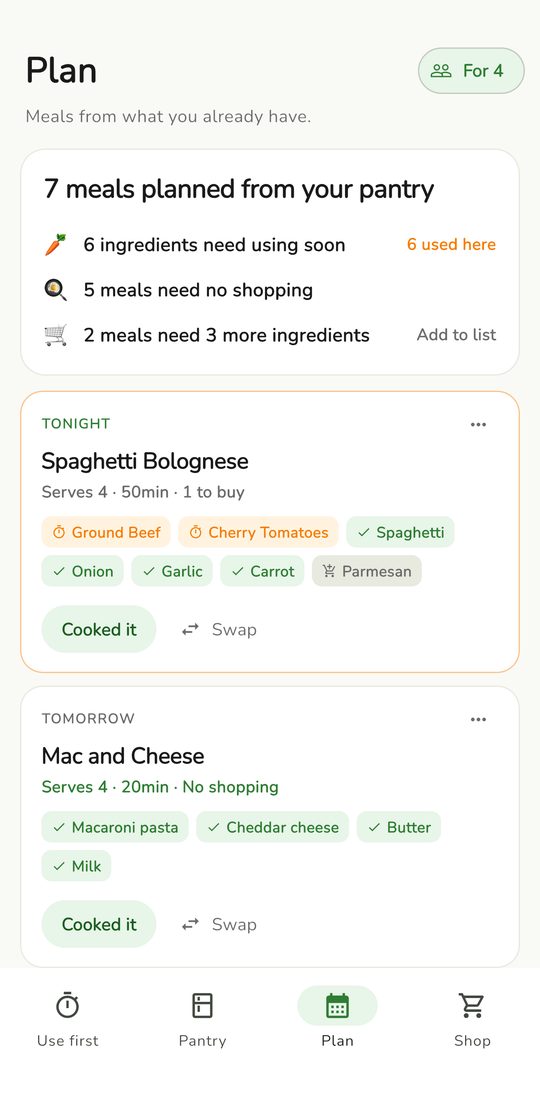
Meal plan
Dinners from what's already in the fridge.
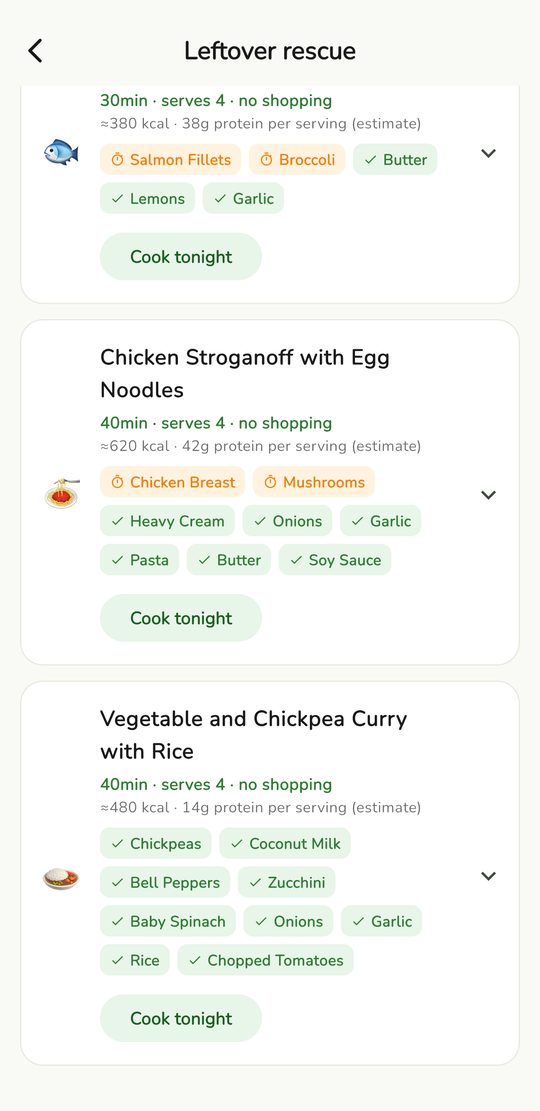
Leftover rescue
Three ideas for food about to turn.
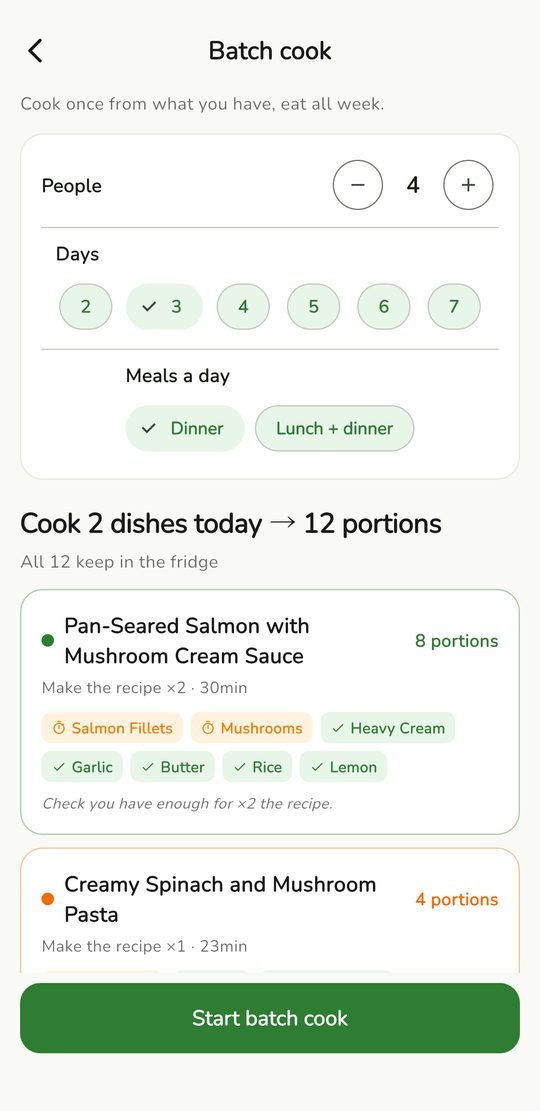
Batch cook
Cook once, portions for the week.
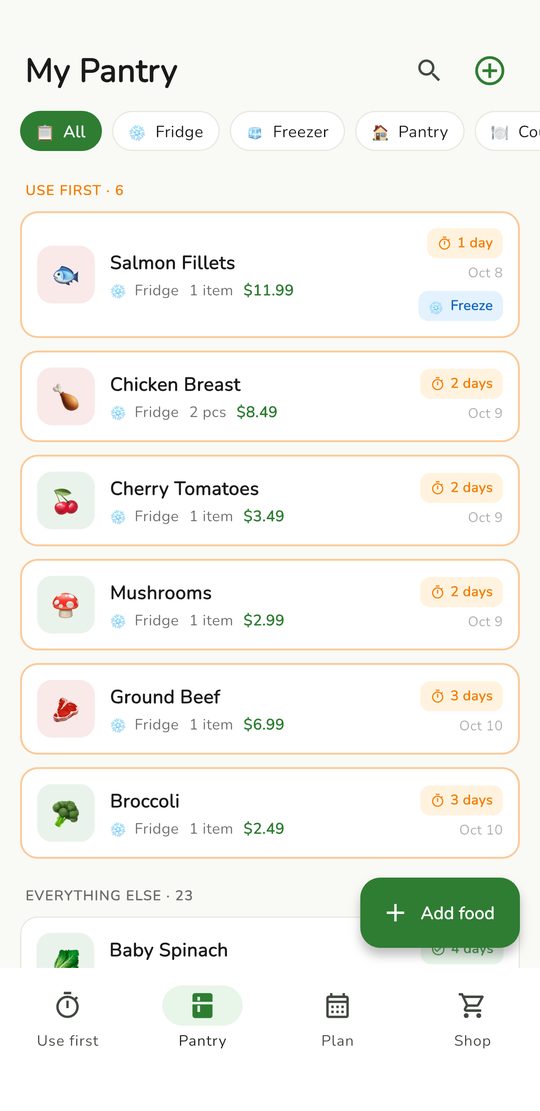
Your pantry
Fridge, freezer and cupboard in one list.
Swipe to explore →
Use-by guide
How long does it keep?
Tap a food to print the same estimate PantryPal uses when you add it.
Pricing
Free for everyday use. Premium for the full week.
Free
$0 forever
- Pantry with expiry estimates and reminders
- Use first screen and savings tracker
- 3-day meal plans
- 5 photo scans
- 1 leftover rescue a week
- Shopping list that checks what you have
Premium
$24.99 / year · about $2.08 a month
- Unlimited receipt and fridge scans
- Full 7-day meal plans
- Batch cooking with fridge and freezer portions
- Unlimited leftover rescue
US prices. You'll see your local price in the app before you buy. Cancel any time in your Apple ID settings.
FAQ
Questions, answered.
Do I need an account?
No. Open the app and start adding food.
How does it know when food expires?
It estimates a date from the type of food and where you keep it. You can change any date yourself.
Does it work offline?
Your pantry, reminders and meal plans work on your phone. Fridge photos, AI receipt reading and leftover ideas need an internet connection.
Does it work on iPad?
Yes, PantryPal runs on iPhone and iPad.
Where is my data stored?
Your pantry is stored on your device. There's no account and no sign-up.
What do the AI features send?
A fridge photo, receipt photo or food names go to a third-party AI service, and only after you allow it in the app.
Do you collect usage stats?
Only anonymous stats, with no name, email or ad ID. You can turn them off in Settings.
What do I get with Premium?
Unlimited receipt and fridge scans, full 7-day plans, batch cooking and unlimited leftover rescue.
How do I cancel?
Open Settings on your iPhone, tap your name, then Subscriptions. Cancel at least 24 hours before it renews.
Can I restore a purchase on a new phone?
Yes. Open the Premium screen and tap Restore Purchases.
Use what you buy.
Free to start, no account needed. Your first plan is about a minute away.